Getting deals · for creators
The Post-Campaign Report That Gets You Rebooked
- A post-campaign report needs three parts: a recap of what was delivered, per-post performance, and an effective CPM compared against what was quoted.
- Use typical or total numbers, not just your best post — leading with one outlier reads as cherry-picking once a brand compares campaigns.
- Send it within a week or two of the posts finishing their active window, while the campaign is still fresh in the brand's mind.
A post-campaign report is a short summary you send a brand once a deal's deliverables have run their course. It covers what was posted, how each piece performed, and what the deal worked out to versus what was quoted. Most creators never send one, because nobody asks for it.
That's exactly why sending one anyway gets noticed. It reads as someone who takes the partnership seriously. It's also the easiest routine way to stay in a brand's mind for the next campaign, without asking for anything. Below is what to include, which numbers matter, an example layout with real arithmetic, and when to send it.
Why send one at all
Brands running influencer programs typically work with more creators than they have time to individually follow up on. That means the ones who report back on their own initiative stand out by default. A report doesn't need to be elaborate. It needs to exist, be accurate, and arrive without being asked for.
The creators a brand remembers are often the ones who made it easy to see the deal worked. That's not necessarily the ones with the single best post. There's a practical angle too: a report is your own record of what a campaign delivered, useful the next time a brand asks what you typically get.
What to include
Four things cover most of what a brand wants to see. A short recap of the deal. The deliverables with their live links. Per-post performance. And a rolled-up total with the effective rate.
Keep the framing in the same terms the deal was set up in. If it was a CPM deal, lead with the CPM. If it was flat, lead with total views delivered.
- Recap: brand, campaign dates, what was agreed (deliverables and rate)
- Deliverables: each post's link and post date
- Per-post performance: views, and engagement rate if available
- Rolled-up total: total views, total payout, and effective CPM
The numbers that matter, and the one that's easy to get wrong
Total views and engagement rate are the two numbers most brands expect. One more is worth adding, and most creators skip it: effective CPM. That's what the deal actually worked out to per 1,000 views, once the final numbers were in, versus what was quoted at the start.
If the deal ran flat-rate, this is still worth computing. It tells the brand, and you, what the arrangement would have cost on a CPM basis.
The easy mistake is building the whole report around your single best post. Sway9's own tracking data, across 159 posts, found the top 10% of posts made 26.3% of all views. The median was just 307 views per post.
A report that leads with the best post and buries the others reads as cherry-picking, once a brand compares a few campaigns. Report the total and the typical post. Let the standout be a genuine highlight, not the whole story.
Example layout with the arithmetic
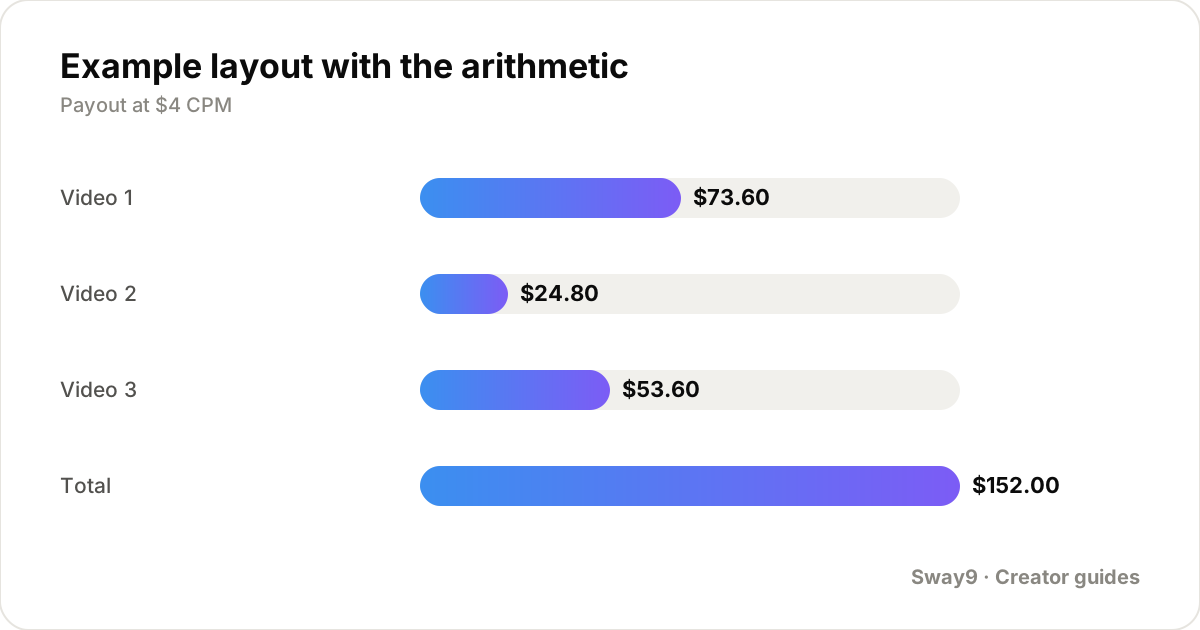
Say a campaign had three deliverables at an agreed $4 CPM, and by the time the report goes out, the posts have accumulated their views. The report lays out each post, then rolls up to a total and an effective CPM.
| Post | Platform | Views | Engagement rate | Payout at $4 CPM |
|---|---|---|---|---|
| Video 1 | TikTok | 18,400 | 5.1% | $73.60 |
| Video 2 | TikTok | 6,200 | 3.8% | $24.80 |
| Video 3 | 13,400 | 4.6% | $53.60 | |
| Total | — | 38,000 | 4.5% avg | $152.00 |
What if a post underperformed
Include it anyway, with the same detail as the others. Leaving out a weak post to make the total look better is the kind of thing a brand notices once they check their own tagged mentions. It undermines every other number in the report. A weak post is also useful information — it's part of what a realistic campaign looks like, not a failure to hide.
If a post underperformed for a specific reason — an unusual posting time, an algorithm change that week — a single sentence of context is fine. The goal is an accurate report, not a defensive one.
Keep the format short and skimmable
A post-campaign report is not a pitch deck. Most of the value is in the table of numbers and two or three sentences of recap around it. A marketing manager skimming a full inbox is more likely to read four short paragraphs and a table than a multi-page document. Lead with the recap and the total, put the per-post breakdown in a table underneath, and stop there.
If you want to end with something forward-looking, one line is enough. A note that you're glad to run something similar again works. So does a specific follow-up idea, if one occurred to you. That reads as a natural close, not an ask bolted onto the end.
When to send it
Within a week or two of the deliverables finishing their active window, typically once posting is done and the initial view velocity has settled. Send it before the campaign is far enough in the past that the brand has mentally moved on.
If usage rights or whitelisting extend past the organic posting window, send an initial report when organic posting ends. Follow up with a short update once the rights period closes, since the numbers can keep moving during that window.
Where the numbers actually come from
Pulling accurate per-post views and an effective CPM is much easier when the data doesn't need manual collection first. In Sway9, each brand deal is set up as a campaign with its rate. The app pulls views for connected accounts' posts automatically, up to three times a day, and computes what the campaign is worth as those views come in.
It uses the same brand-side words a brand's team would recognize: the deal is a 'campaign', and the earned figure shows as 'spend'. CSV export covers pulling those numbers into whatever format the report needs. Unlimited campaigns and posts means this works the same for your first campaign or your fiftieth.
Frequently asked questions
Do brands actually expect a report if they haven't asked for one?
Most don't ask, which is exactly why sending one anyway stands out. It costs little time to put together if the numbers are already tracked. It's also one of the few unprompted things a creator can do that a brand's team actually reads and remembers.
What if the campaign didn't include a CPM, just a flat fee?
Compute an effective CPM anyway for your own report — total payout divided by total views in thousands — and include it as context. It doesn't change what you were paid, but it gives the brand a comparable number if they're evaluating you against other creators or their own benchmarks.
Should I include screenshots of platform analytics, or just numbers?
A table of numbers with the live links included is usually enough. A brand can open the link and check the platform's own analytics themselves if they want to verify. Screenshots add length without adding much a brand can't confirm directly from the post.
How do I report on a deal that spanned two platforms?
List each post from each platform separately in the per-post table, the same as two posts on one platform. Then roll up to one combined total. The report doesn't need to treat platforms differently beyond noting which platform each row is on.
Is a post-campaign report the same thing as a media kit?
No. A media kit is a general pitch document about you as a creator, usually sent before a deal to win the work. A post-campaign report is specific to one completed deal, sent after, and covers what that particular campaign delivered.
Track your own accounts
Add your TikTok and Instagram handles, set each brand deal up as a campaign with its rate, and Sway9 pulls in every post and view and works out what the deal is worth. From $22/mo, cancel any time.
Get started Cancel any time · unlimited team members on every planSources: Sway9 — What 159 tracked UGC posts actually looked like